You already ask ChatGPT or Claude to help with your emails, your proposals and your plans for the week. Then it comes to social media, and everything slows down again.
You copy a draft out of the chat. You paste it into a scheduler. You fix the line breaks for LinkedIn, cut it down for X, go looking for an image, pick a time, and do it all again tomorrow. Your AI can write the post. It just can't post it.
That is the part ViralSky fixes. Connect ViralSky to the AI assistant you already use, and it becomes something closer to an AI social media manager: it writes posts and threads in your voice, makes the image, and schedules or publishes to your accounts, all from the same chat.
The real problem isn't writing. It's everything after.
Most creators and founders don't struggle to come up with something to say. They struggle with the boring part: moving that idea from their head to a post that goes out on X, LinkedIn and Facebook at a sensible time, every week, without fail.
That's why "post consistently" is the advice everyone gives and few people follow. It doesn't take talent. It takes a lot of small, repetitive steps, and those steps are exactly where good intentions die on a busy Tuesday.
A general chatbot helps with the first step. It writes a decent draft. Then it hands the rest back to you.
What changes when your assistant can use ViralSky
ViralSky runs a hosted MCP server. You don't need to know what that means technically. In practice, it's a connection that lets ChatGPT, Claude or Cursor work directly inside your ViralSky account, with your permission.
Once it's connected, your assistant can:
- Write viral posts and threads for X, LinkedIn, Facebook and Threads, built on proven viral templates instead of a blank prompt.
- Sound like you, not like every other AI post in the feed.
- Find ideas when you're stuck, and turn news into posts while the story is still fresh.
- Create AI images sized for each platform, so nothing gets awkwardly cropped.
- Write in around 74 languages, if your audience isn't only English-speaking.
- Schedule or publish now to the X, LinkedIn and Facebook Pages you've connected in ViralSky.
You stay in the conversation the whole time. No tabs, no copy and paste, no "I'll schedule it later."
A day in the life: before and after
Before
Imagine Maya, a solo founder running a small SaaS. It's Monday morning. She has a launch on Thursday and wants to post about it on LinkedIn and X.
She asks ChatGPT for a draft. It's fine, but it sounds like a press release. She rewrites the opening. She opens her scheduler in a new tab, pastes the LinkedIn version, then realizes the X version needs to be a thread. She splits it by hand, hunts for an image in a design tool, resizes it twice, and schedules both posts. Forty-five minutes later she gets back to the product she's supposed to be launching.
After
Same Monday. Maya types one message into her assistant:
"Write me a LinkedIn post and an X thread about our Thursday launch, in my usual voice. Make a matching image. Show me both, then schedule them for Thursday 9am."
She reads the drafts, asks for a punchier first line on the thread, and says "looks good, schedule it." Done. Both posts are on her ViralSky calendar, where she can still edit or cancel them. She's back to work before her coffee gets cold.
That is the promise of ChatGPT for social media done properly. The thinking stays yours. The busywork goes away.
Why ViralSky beats a plain chatbot for social posts
You could ask any AI to "write a viral LinkedIn post." You'd get something that looks like a LinkedIn post. That isn't the same as a post that performs.
ViralSky is built only for social content. When your assistant writes through ViralSky, the post is shaped by templates modeled on posts that already went viral: hooks that stop the scroll, structures that keep people reading, endings that invite a reply. It's also formatted for the platform it's going to, so an X thread reads like an X thread and a LinkedIn post reads like LinkedIn.
You get your assistant's flexibility and ViralSky's social instincts in one place.
Setup takes about as long as reading this section
There's no API key to create and nothing to install. You paste one URL, https://viralsky.ai/api/mcp, into your assistant's connectors, approve access on the ViralSky screen that pops up, and you're in.
Connect your X, LinkedIn and Facebook Pages once in ViralSky. Your assistant never sees your social passwords, and you can switch its access off whenever you like. The MCP setup guide in our Help Center has the exact clicks for Claude, ChatGPT and Cursor.
Prompts to try on day one
You talk to it the way you'd talk to a sharp assistant. A few to start with:
- "Give me 10 post ideas for solo SaaS founders, pick your favorite three, and tell me why."
- "Turn this news story into a LinkedIn post with my take on it. Keep it factual."
- "Write me a LinkedIn post about our launch and schedule it for Tuesday 9am."
- "What do I have scheduled next week? Fill the gap on Wednesday."
A good habit: end anything that publishes with "show me first." You stay the editor in chief, and your assistant does the legwork.
Who this is for
- Creators who want to post every day without spending every day posting.
- Solopreneurs and founders who already live in ChatGPT or Claude and want their social presence to stop slipping when work gets busy.
- Small agencies who want to draft, review and schedule client content from a single conversation.
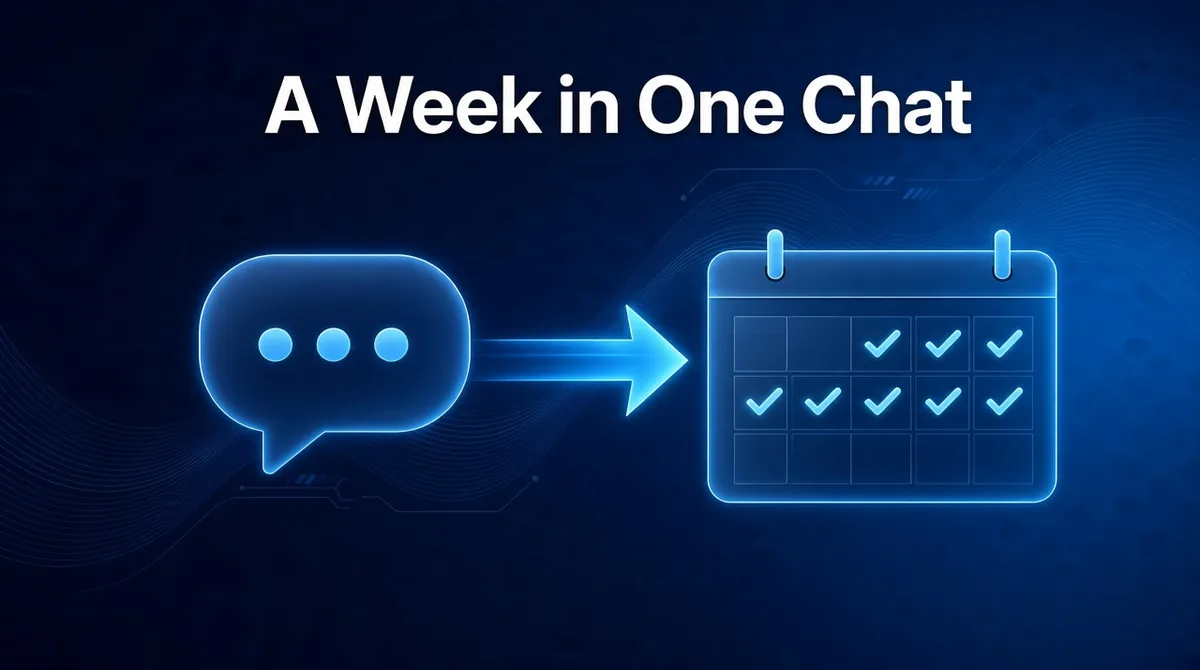
If you'd like to see the full "week of content in one chat" routine, read how to schedule a week of social posts in one conversation. If you'd rather run posting on autopilot from your own tools, see how to automate social media posts without losing your voice, or repurpose your existing content into posts automatically.
What it costs
The MCP connection is included in the ViralSky Max plan and in AppSumo Tier 3, where ViralSky also offers a lifetime deal. Compare everything on the pricing page. Threads scheduling is coming soon. You can follow it, and everything else we're building, on the public roadmap.
Give your AI assistant a social media job
You already trust your assistant with your writing. Now let it handle the posting as well. Write in your voice, schedule from the chat, and get your mornings back.
Turn ChatGPT, Claude or Cursor into your AI social media manager. Create your account, connect your social profiles, and paste one URL into your assistant.